MooBank
What is MooBank?
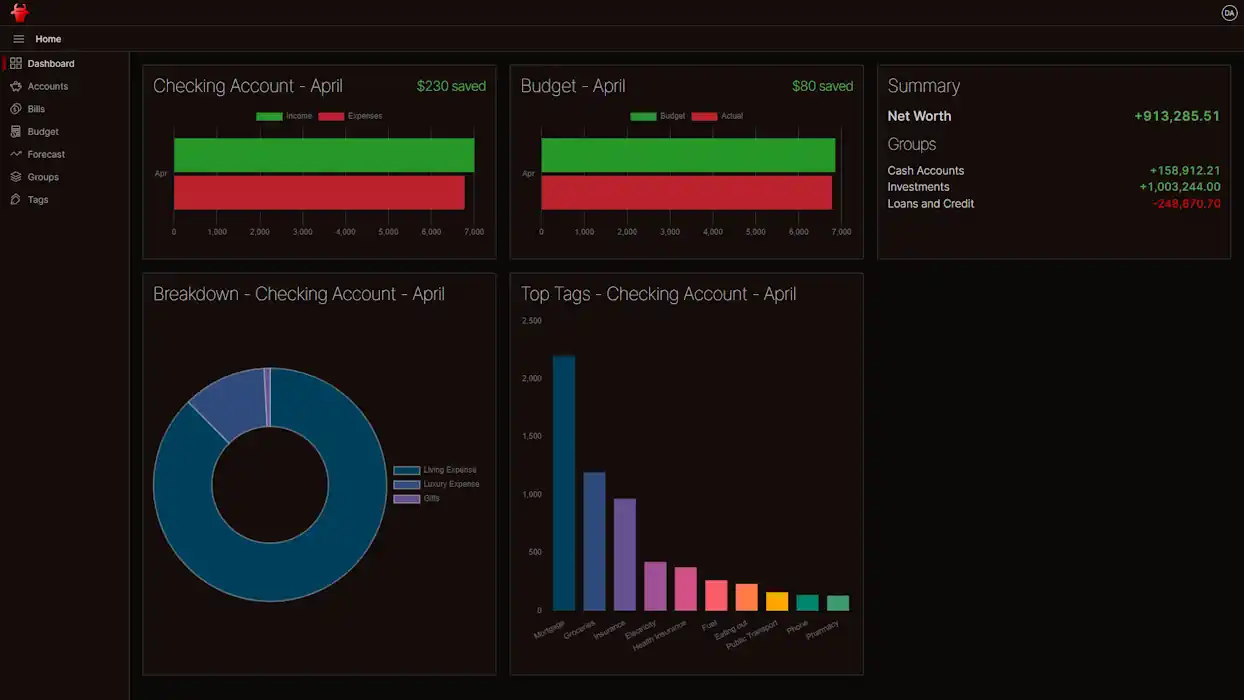
MooBank is a personal finance manager I built for myself, after years of being frustrated by my bank's online banking. It pulls every account I care about - transaction accounts, credit cards, mortgage, super, shares, even physical assets - into one screen, lets me categorise transactions with a flexible tag system, and layers budgets, reports and forecasts on top. It is a .NET backend with a React front end, and runs in Azure.
Why I built it
I was once a customer of one of Australia's "Big 4" banks. For its time their online banking was decent - you could tag transactions and see reports - but the experience was death by a thousand cuts:
Auto-categorisation was confidently wrong, and there was no way to teach it.
The tagging UI would refresh under you mid-edit, throwing away unsaved work if you went too fast.
There was no way to ringfence parts of an account for a specific purpose - critical when you have a mortgage offset, where you want every spare dollar working against the loan but still need to know what is "rent buffer" versus "holiday fund".
It only saw the accounts at that one bank. Anything held elsewhere - super, shares, a savings account at a competitor - simply did not exist.
So I built MooBank.
How it works
The shape is familiar from my other projects, with a few specifics for the financial domain:
.NET 10 minimal API on the server, with CQRS handlers, EF Core 10 against Azure SQL, and Domain-Driven Design for the core model. Authorisation is policy-based and parameterised per instrument, so a user only ever sees the accounts they own or have been granted access to.
Multi-tenant by family - data is isolated to a Family grouping, so a household can share their financial picture without leaking it to other users.
React 19, TanStack Router, TanStack Query on the front end. The API client is generated from the backend's OpenAPI spec, so the types on both ends stay in lock-step.
Azure AD authentication via MSAL, so MooBank never sees a password.
Pluggable importers for each bank's CSV export. Raw transactions are stored verbatim, so if I ever change how I parse a format I can re-run the import without losing data.
Background jobs for daily reference data - currency exchange rates, ABS inflation figures, and end-of-day stock prices.
Tags, splits, and rules
The thing the Big 4's app got most wrong, I rebuilt from scratch.
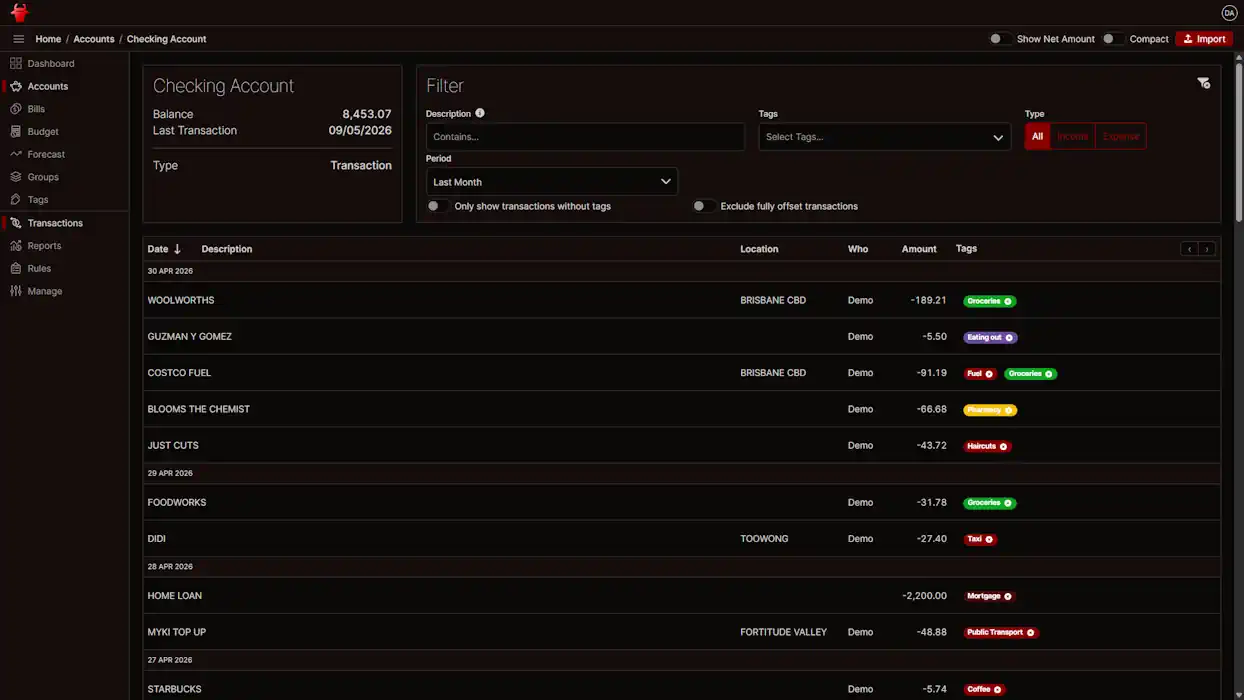
Tags are hierarchical, so a "Groceries" tag can sit under "Food" and reports can roll up either way.
A single transaction can be split across many tags - a $150 Costco shop becomes $100 Groceries, $30 Household and $20 Entertainment without me needing to fudge the totals.
Rules apply tags automatically based on the transaction description, but only when I tell them to - the auto-categoriser does not get to be confidently wrong any more.
Refunds and rebates can offset the original transaction, so a $200 receipt with a $50 store credit shows up as $150 of actual spend.
What it gives you day to day
Bank accounts - import transactions, tag them, split them, offset refunds, and apply rules.
Other assets - track superannuation, shares, and physical assets alongside cash, so the dashboard reflects actual net worth and not just what is in your wallet.
Virtual accounts - ringfence portions of a real account for a specific purpose, the offset-account use case I missed at my old bank.
Account groups - bundle related accounts (an "Emergency Fund" of three savings accounts, for example) for an aggregate view.
Budgets - per-tag monthly or yearly budgets, with progress bars and rollover support.
Reports - income vs expenses, top tags, spending-per-tag over time, net worth and cash flow.
Utility bills - track each bill cycle and watch cost-per-unit drift across years.
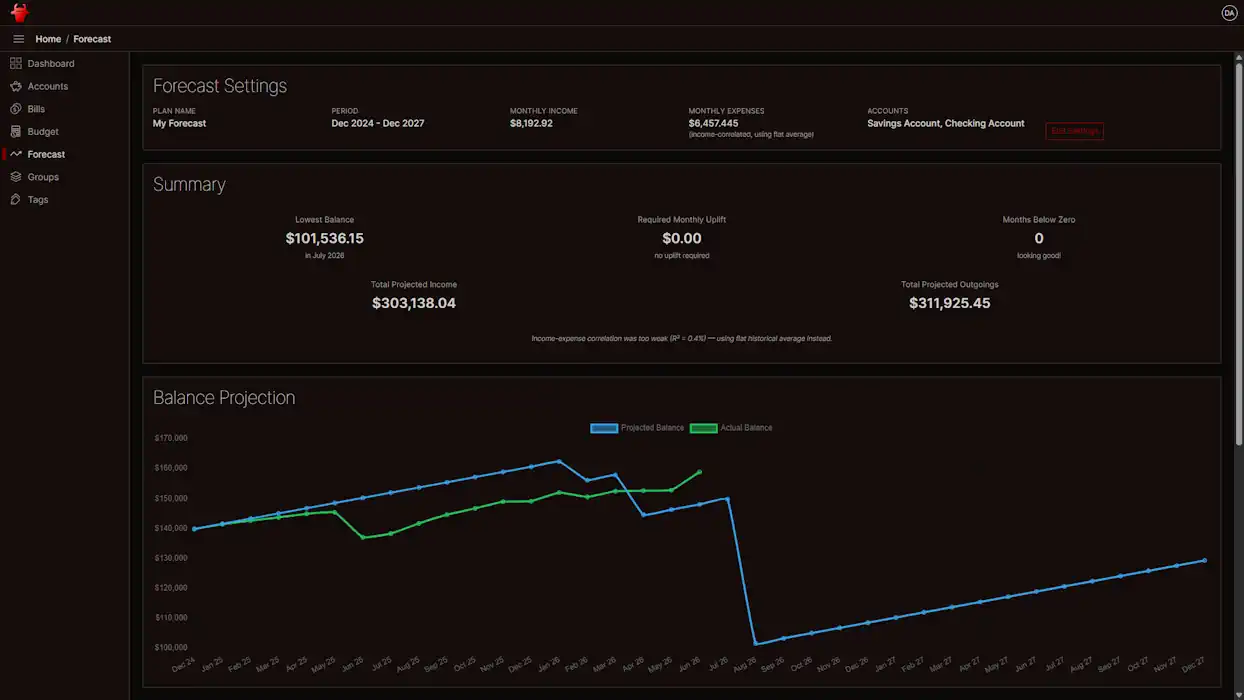
Forecasting - extend known recurring inflows and outflows into the future to plan around big-ticket spend.
What's next
Make the dashboard user-configurable, with reports tailored to each instrument type.
Improve the account management and import experience
Tailored reporting for different types of account. Reports like "Top Tags" do not make much sense for a savings or superannuation account
MooBank is for me, so it does not earn revenue and I have to be careful what I spend on it. If hosting and time were free I would:
Implement Open Banking, so accounts and transactions could feed in directly from each institution rather than via CSV.
Add AI features - automatic parsing of utility bill PDFs, smarter suggested tag rules, anomaly detection on spending patterns.
MooBank is open source and serves as my test bed for new technologies, so it gets refactored often. Source code is on GitHub.