CodeHerd
What is CodeHerd?
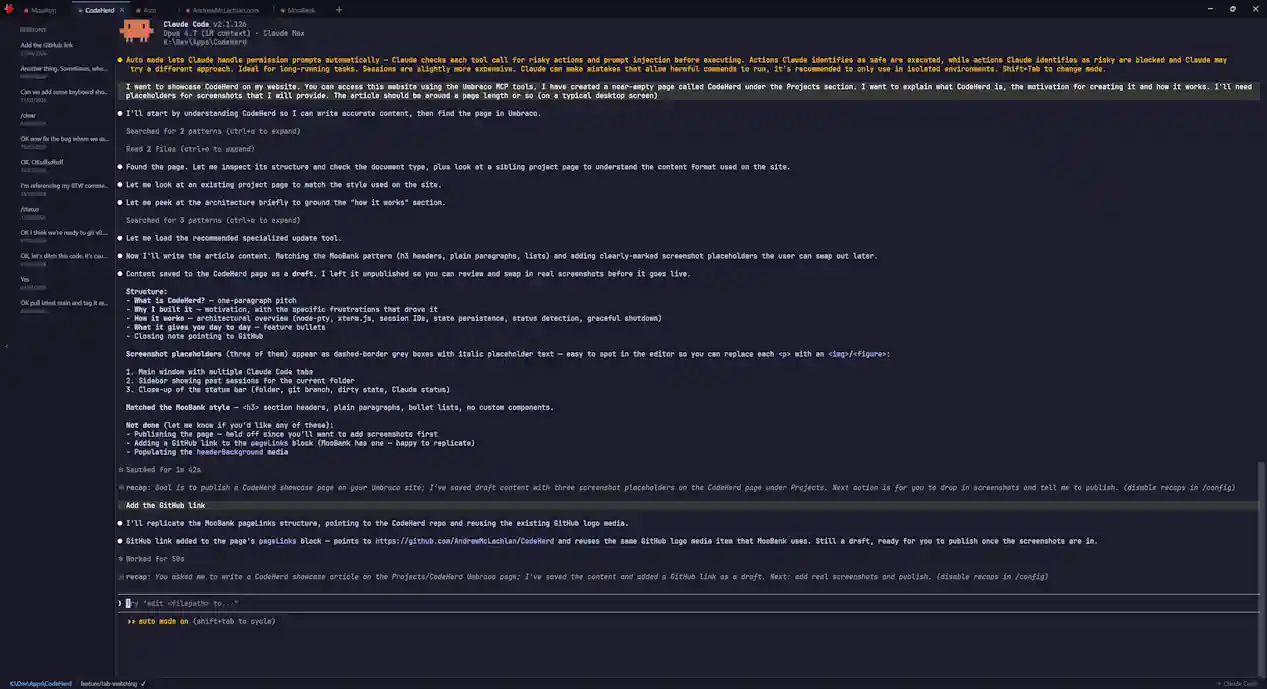
CodeHerd is a desktop app for running multiple Claude Code CLI sessions side by side. Think VS Code meets Windows Terminal, but purpose-built for Claude Code: tabbed terminals, per-folder session history, and a status bar that always tells you what Claude is up to. It runs on Windows, macOS and Linux, built on Electron.
Why I built it
I work with Claude Code a lot - often on several projects at once. The standard experience, though, is a single terminal: one project, one conversation, and as soon as you close it you lose the thread. Switching between projects means juggling terminals, remembering which window is which, and starting from scratch every morning.
The frustrations stacked up quickly:
Closing a terminal (intentionally or accidentally) meant losing the Claude Code session for that project.
There was no quick way to see what Claude was doing across my open work - was it waiting for input, thinking, or idle?
Resuming a past conversation meant digging through the CLI flags each time.
And occasionally a hard kill would corrupt Claude's local config, which was unpleasant to recover from.
Test
CodeHerd is my attempt to fix all of that in one place - a proper "herding" app for the multiple Claude sessions I already run every day.
How it works
Under the hood, CodeHerd is a fairly straightforward Electron app with a few deliberate architectural choices:
node-pty spawns a real pseudo-terminal for each Claude Code session, so the CLI behaves exactly as it would in your own terminal - including colour, cursor control, and interactive prompts.
xterm.js renders each PTY in the browser-based renderer process, one terminal per tab.
Each tab is associated with a working folder and a Claude session ID. When you open a new tab, CodeHerd spawns Claude with an explicit
--session-id; when you restart the app, it uses--resumeto pick up exactly where you left off.State is persisted to
~/.codeherd/state.json, so your tabs, folders, and active sessions come back after a restart or reboot.A lightweight status-detection layer watches the PTY output to figure out whether Claude is idle, thinking, or waiting for a response - that feeds the per-tab status indicators and the bottom status bar.
The status bar itself also surfaces the current folder, the git branch, and whether the working tree is dirty, pulled directly from the filesystem.
Shutdown is handled gracefully: CodeHerd sends Claude a clean exit signal and waits, rather than killing the process, which avoids the config-corruption problem I ran into early on.
What it gives you day to day
Tabs - Ctrl/Cmd+T opens a new Claude session, Ctrl/Cmd+W closes one, and every tab remembers its folder.
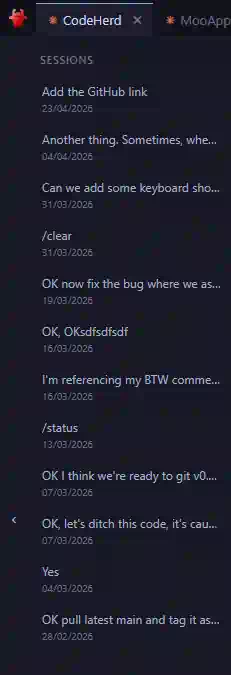
Session sidebar - browse past conversations for the current folder and resume any of them with a click.
Persistence - close the app mid-thought and everything comes back next time you open it.
Status at a glance - tab indicators, git branch, and dirty-state are always visible without alt-tabbing.
Cross-platform - the same app on Windows, macOS and Linux, packaged via Electron Forge.

CodeHerd is open source and under active development - source code and releases are on GitHub.